People are desperate to learn AI. Most corporate training is terrible. YouTube tutorials are scattered and incomplete. There is a massive gap between "I want to learn AI tools" and "I know how to use AI effectively."
That gap is your business opportunity.
In 2026, the AI education market is worth billions, and individual course creators are earning $5,000 to $50,000 per month. Here is how to join them.
Why AI Courses Sell So Well Right Now
The demand is enormous:
- Every professional wants to learn AI to stay competitive
- Companies have training budgets but lack quality resources
- New AI tools launch weekly, creating constant demand for tutorials
- People prefer structured courses over random YouTube videos
- Career changers are willing to invest in AI skills
The supply gap is real:
- Most existing AI courses are too technical (aimed at developers)
- Business professionals need practical, tool-focused training
- Updated content is rare (most courses are already outdated)
- Niche-specific AI training barely exists (AI for real estate, AI for teachers, etc.)
10 AI Course Ideas That Sell in 2026
High Demand, Broad Audience
- ChatGPT Mastery: From Beginner to Power User (best seller potential)
- AI Tools for Business: Save 10 Hours Per Week (corporate audience)
- Prompt Engineering: Write Prompts That Actually Work (trending topic)
- AI for Content Creators: Write, Design, and Produce with AI (creator economy)
Niche Audience, Higher Prices
- AI for Real Estate Agents: Close More Deals with AI ($200 to $500 course)
- AI for Teachers: Transform Your Classroom with AI ($100 to $300 course)
- AI Automation for Small Business Owners ($300 to $800 course)
- AI Marketing Masterclass: Ads, SEO, and Content with AI ($200 to $500 course)
Technical, Premium Pricing
- Build AI Chatbots for Clients: The Complete Business Guide ($500 to $1,000 course)
- AI Agent Development: From Concept to Deployment ($300 to $800 course)
Creating Your Course: Step by Step
Phase 1: Research and Planning (Week 1)
Validate demand before creating anything:
- Search Udemy for similar courses. Check enrollment numbers and reviews.
- Look at Google Trends for your topic keywords.
- Browse Reddit, Twitter/X, and LinkedIn for questions people ask about your topic.
- Survey your audience (if you have one) about what they want to learn.
Define your target student:
- What is their skill level? (Complete beginner, intermediate, advanced)
- What is their goal? (Career change, productivity boost, business growth)
- What are they willing to pay? (Correlates with the value they expect)
- How much time can they commit? (2 hours vs. 20 hours)
Create your course outline:
- 5 to 10 modules, each covering one major topic
- 3 to 5 lessons per module (10 to 20 minutes each)
- Each lesson has a clear learning outcome
- Include practical exercises and assignments
- Build toward a capstone project or final result
Phase 2: Content Creation (Weeks 2 to 4)
Recording setup (budget-friendly):
- Screen recording: OBS Studio (free) or Loom ($13/month)
- Microphone: Blue Yeti ($100) or any USB condenser mic
- Webcam: Built-in laptop camera is fine for screen-sharing courses
- Slides: Canva Pro ($13/month) or Google Slides (free)
- Video editing: DaVinci Resolve (free) or Descript ($24/month)
Content creation tips:
- Record screen-share tutorials showing real tool usage
- Keep videos under 15 minutes (prefer 8 to 12 minutes)
- Show real examples, not theoretical concepts
- Include mistakes and troubleshooting (students find this valuable)
- Use AI to help create slides, summaries, and supplementary materials
Production quality that matters:
- Clear audio is essential (invest in a decent microphone)
- Good lighting if you show your face
- Clean desktop and organized browser tabs during screen recording
- Consistent intro/outro and branding
Production quality that does not matter as much:
- 4K video (1080p is fine)
- Professional studio setup
- Fancy transitions and effects
- Background music
Phase 3: Platform Selection
| Platform | Revenue Model | Best For |
|---|---|---|
| Udemy | You set price, they take 37% to 63% | Maximum reach, lower per-student revenue |
| Skillshare | $0.05 to $0.10 per minute watched | Passive income, low effort marketing |
| Teachable | $39+/month, you keep 95%+ | Full control, higher prices, your audience |
| Gumroad | 8.5% fee per sale | Simple setup, digital product focus |
| Podia | $39+/month, no transaction fees | All-in-one (courses, community, downloads) |
| Your own website | Hosting costs only | Maximum margins, full control |
Recommendation for beginners: Start with Udemy for reach plus Gumroad for a premium version. Once you have an audience, move to Teachable or your own site.
Phase 4: Launch Strategy (Week 5)
Pre-launch (1 to 2 weeks before):
- Share free preview content on social media
- Build an email waitlist with a free resource (checklist, template, mini-course)
- Post behind-the-scenes content about course creation
- Reach out to potential affiliates and partners
Launch week:
- Email your list with a special launch discount (30% to 50% off)
- Post daily social media content about the course
- Go live on YouTube or LinkedIn to demo the course content
- Ask early students for reviews and testimonials
Post-launch (ongoing):
- Respond to every student question within 24 hours
- Update content when tools change or new features launch
- Create supplementary resources based on student feedback
- Use student success stories in marketing
Pricing Strategy
The Pricing Ladder
Free content (YouTube, blog posts): Builds awareness and trust Low-ticket ($29 to $79): Mini-courses or introductory modules. High volume, low touch. Mid-ticket ($97 to $297): Comprehensive courses with exercises. Your bread and butter. High-ticket ($497 to $1,997): Premium courses with community access, coaching calls, or certification. Lower volume, higher margins.
Platform-Specific Pricing
Udemy: Price at $49 to $199 (Udemy runs frequent sales where courses sell for $10 to $15, so volume is key) Gumroad/Teachable: Price at $97 to $497 (you control discounts) Live cohorts: Price at $297 to $997 (includes live instruction and group coaching)
Marketing Your AI Course
Content Marketing (Free, Slow but Sustainable)
YouTube: Create 2 to 3 tutorial videos per week related to your course topic. Include a call to action for your course. YouTube viewers convert well to course students.
LinkedIn: Post daily about AI tips, tool discoveries, and mini-tutorials. Build authority in your niche. LinkedIn is the best platform for B2B course sales.
Blog/SEO: Write detailed blog posts targeting keywords your potential students search for. Link to your course in every post.
Paid Advertising (Fast, Requires Budget)
YouTube ads: $5 to $15 per conversion for $50 to $100 courses. Create a 2-minute ad showing your course value.
Facebook/Instagram ads: $10 to $30 per conversion. Target by job title, interests, and behaviors.
Google search ads: Target keywords like "learn chatgpt course" or "ai tools training."
Recommended ad budget to start: $500 to $1,000/month. Scale what works, cut what does not.
Affiliate and Partnership Marketing
Set up an affiliate program:
- Offer 30% to 50% commission on each sale
- Provide affiliates with email templates, social media posts, and tracking links
- Target AI bloggers, YouTubers, and newsletter writers
Partner with companies:
- Offer group licenses at a discount
- Create custom versions for specific industries
- Pitch to corporate training departments
Scaling to $10K-$20K/Month
Revenue Model Example
| Revenue Source | Monthly Income |
|---|---|
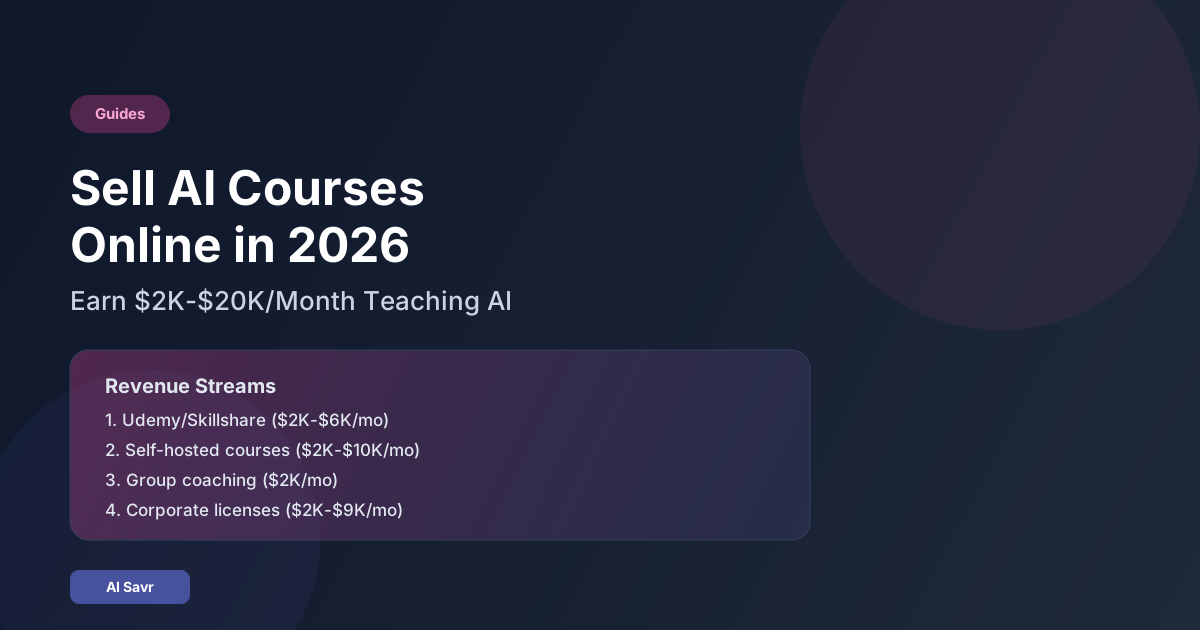
| Udemy sales (200 to 400 students at $10 to $15 avg) | $2,000 to $6,000 |
| Gumroad/Teachable sales (20 to 50 students at $97 to $197) | $2,000 to $10,000 |
| Group coaching (10 students at $200/month) | $2,000 |
| Corporate licenses (2 to 3 companies at $1,000 to $3,000) | $2,000 to $9,000 |
| Affiliate income from recommended tools | $500 to $2,000 |
| Total | $8,500 to $29,000 |
The Course Portfolio Strategy
One course is a product. Multiple courses are a business.
After your first successful course:
- Create an advanced version for graduates
- Build courses for related topics in your niche
- Create a bundle with a discount
- Develop a premium membership with all courses plus community
Using AI to Create Course Content
Yes, use AI to speed up your own course creation:
- Generate slide decks and lesson outlines
- Create quizzes and exercise worksheets
- Write supplementary PDF guides
- Transcribe and repurpose your video content
- Generate email sequences for marketing
Just ensure every piece of content has your personal experience, examples, and quality check.
Common Mistakes Course Creators Make
Mistake 1: Making the Course Too Long
Students want results, not 40 hours of content. A focused 4 to 6 hour course that delivers clear outcomes outsells a 20-hour encyclopedia every time.
Mistake 2: Not Updating Content
AI tools change constantly. Set a quarterly reminder to review and update your course. Outdated content earns bad reviews.
Mistake 3: Zero Marketing Effort
"If I build it, they will come" is a myth. Budget 50% of your time for marketing, especially in the first 6 months.
Mistake 4: Underpricing
A $19 course signals low value. If your course delivers real outcomes (career advancement, business growth, time savings), price accordingly.
Mistake 5: No Community
Students who connect with peers and the instructor complete courses at higher rates and leave better reviews. Add a Discord server, Facebook group, or community feature.
The Bottom Line
Teaching AI is one of the most rewarding ways to make money with AI in 2026. You help people improve their careers while building a scalable, largely passive income stream.
Start with one course. Make it excellent. Market it consistently. Then expand your catalog and revenue streams.
The best time to launch an AI course was last year. The second best time is this week.
Explore our AI tools directory to discover the tools your students will want to learn about.