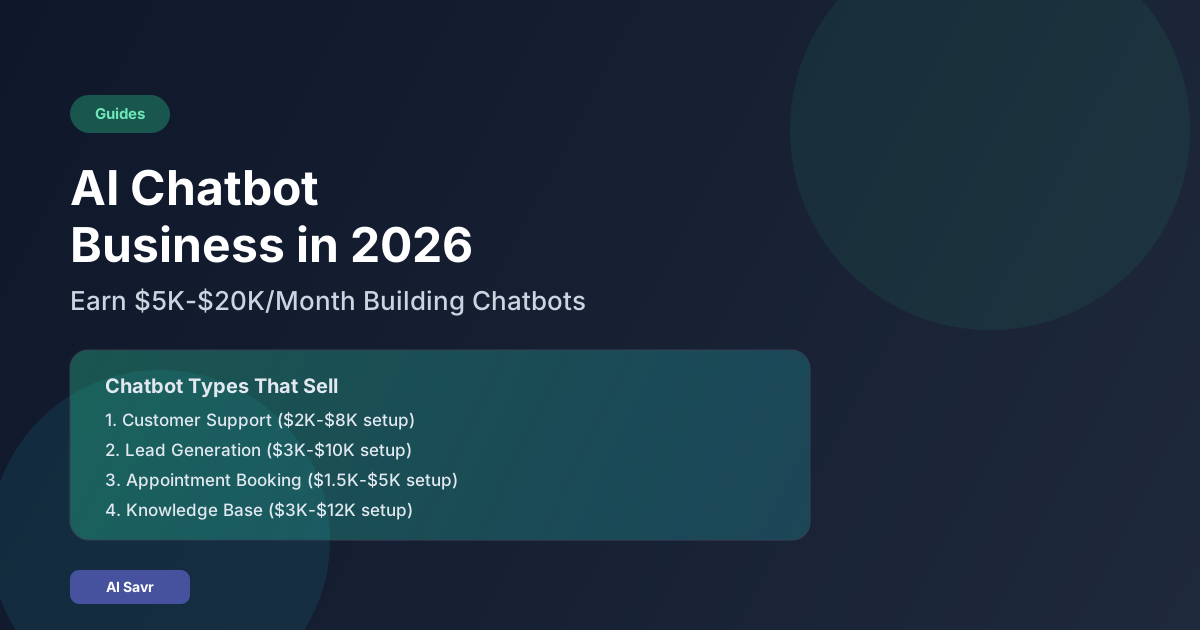
How to Make Money with AI in 2026: Chatbot Services for Local Businesses
Marco owned a small auto repair shop in Phoenix. He spent 2 hours every day answering the same phone calls. "What are your hours?" "How much does an oil change cost?" "Can I book an appointment for Tuesday?" His receptionist was overwhelmed, and he was losing leads because calls went to voicemail during busy hours.
Then a local freelancer built him an AI chatbot for his website and Facebook page. The chatbot handled scheduling, answered FAQs, and captured contact info for bigger repairs. Within the first month, Marco's shop booked 34 additional appointments that would have been missed calls. He pays $300 per month for the service and considers it his best business expense.
That freelancer was Kayla, 28, a former retail manager with zero coding experience. This is the story of how she built a chatbot service business earning $4,800 per month in under 6 months. And this guide shows you exactly how to do the same thing.
Why Chatbot Services Are a Gold Mine in 2026
Local businesses are everywhere. Dentists, plumbers, real estate agents, restaurants, fitness studios, med spas, auto shops, law offices. They all share the same problem: they lose leads when they cannot respond fast enough.
In 2026, AI chatbot platforms have matured. You do not need to code. You do not need a computer science degree. Platforms like Chatbase, Botpress, and Voiceflow let you build intelligent, custom chatbots trained on a business's own data in hours, not weeks.
The business case is simple:
- A missed call costs a dentist $200 to $1,500 in potential revenue
- A plumber who does not respond within 5 minutes loses 78 percent of leads to competitors
- A restaurant that cannot answer reservation questions loses walk-in equivalent value
- You charge $300 to $800 per month to solve this problem
Real-Life Example 1: Kayla, Retail Manager to Chatbot Agency Owner
Starting point: Kayla worked at a home improvement store managing a team of 12. She earned $38,000 yearly. She saw customers struggling to get answers from small businesses and suspected chatbots could help.
Month 1 actions:
- She signed up for Chatbase ($19/month) and spent one weekend learning the platform.
- She built a demo chatbot for a fictional dental office. She uploaded a sample FAQ document and configured appointment booking.
- She walked into 5 local businesses (a dentist, a chiropractor, a dog groomer, a HVAC company, and a real estate office) with her laptop and showed the demo.
- The dentist said yes on the spot. She charged $500 setup plus $300 per month.
Month 2 to 3 actions:
- She built the dentist's chatbot in 2 days. It handled insurance questions, office hours, appointment requests, and emergency triage.
- The dentist referred her to his accountant, who also needed a chatbot. Second client: $400 setup, $300/month.
- She created a one-page sales document showing the dentist's results (34 extra bookings in month 1).
Month 4 to 6 actions:
- She posted the case study on LinkedIn. A property management company contacted her. Third client: $800 setup, $500/month.
- She launched a simple outreach campaign emailing 20 local businesses per week.
- By month 6: 8 clients, $4,800 monthly recurring revenue, working about 20 hours per week.
Real-Life Example 2: James, Retired Software Engineer
Starting point: James, 62, retired from a career in enterprise software. He was bored and wanted supplemental income without a demanding schedule.
What he did:
- He used his technical background to build more sophisticated chatbots using Botpress with CRM integrations.
- He targeted professional services firms (law offices, accounting firms) that needed chatbots integrated with their practice management software.
- He charged premium rates: $1,500 to $3,000 setup plus $500 to $800 monthly.
- He worked 10 to 15 hours per week and earned $3,500 monthly within 4 months from just 5 clients.
Real-Life Example 3: Fatima, Stay-at-Home Mom
Starting point: Fatima, 32, had two young children and could not work a traditional schedule. She had basic computer skills and a strong social network in her local community.
What she did:
- She positioned herself as a "digital assistant specialist" for local women-owned businesses.
- She used Tidio (free plan to start) to build her first chatbots.
- She landed her first 3 clients through her mosque's community group and local Facebook business groups.
- She charged $200 per month per client, deliberately keeping prices accessible for small sole proprietors.
- By month 5: 12 clients at $200/month = $2,400 monthly income, working 10 to 12 hours per week during nap time and evenings.
How to Build Your First Chatbot (No Coding Required)
Step 1: Choose your platform
| Platform | Best For | Starting Price |
|---|---|---|
| Chatbase | Simple FAQ and lead capture bots | $19/month |
| Botpress | Advanced flows with integrations | Free plan available |
| Voiceflow | Multi-channel conversational bots | $50/month |
| Tidio | Small business live chat + bot | Free plan available |
| ManyChat | Instagram and Facebook Messenger bots | $15/month |
Step 2: Collect the business's data
Ask your client to provide:
- Their FAQ document or a list of common customer questions
- Pricing information
- Service descriptions
- Operating hours and contact details
- Any booking or scheduling links they use
Step 3: Build the chatbot
- Upload the business data to your chosen platform
- Configure the conversational flow: greeting, FAQ handling, appointment booking, lead capture
- Add a fallback: if the bot cannot answer, it collects the customer's name, phone, and question and sends it to the business owner via email or SMS
- Test with 20 sample conversations
Step 4: Install and launch
Most platforms provide:
- A website embed code (copy-paste into client's site)
- Facebook Messenger integration
- Instagram DM integration
- WhatsApp Business API connection
Installation usually takes 15 to 30 minutes per channel.
Step 5: Monitor and optimize
Review chatbot conversations weekly. Look for:
- Questions the bot could not answer (add to training data)
- Conversations that dropped off (improve flow)
- Lead capture rate (target 60%+ of conversations)
Pricing Model That Attracts Clients
Setup fee
- Basic chatbot (FAQ + lead capture): $300 to $500
- Standard chatbot (booking + multi-channel): $500 to $1,000
- Advanced chatbot (CRM integration + custom flows): $1,000 to $3,000
Monthly management fee
- Basic monitoring and updates: $200 to $300/month
- Active optimization and reporting: $300 to $500/month
- Full management with expansion: $500 to $800/month
Why local businesses pay this gladly
Frame the investment in their language:
- "One missed phone call costs your practice $300 to $1,500. This chatbot answers 24/7."
- "You are paying $15/hour for a receptionist who works 8 hours. The chatbot works 24 hours for $10/day."
12-Week Plan for Chatbot Service Business
Weeks 1 to 2: Setup and Demo
- Sign up for Chatbase or Botpress
- Build 2 demo chatbots for different business types (dental, restaurant, or real estate)
- Practice your 2-minute pitch: problem, solution, proof, price
Weeks 3 to 4: In-Person Outreach
- Visit 5 local businesses per day with your laptop
- Show the demo and leave a business card
- Follow up by email within 24 hours
- Target: close 1 to 2 clients
Weeks 5 to 8: Build, Launch, and Prove
- Build and deploy chatbots for first clients
- Track key metrics: conversations started, questions answered, leads captured
- Create a one-page case study after 30 days
- Ask for testimonials and referrals
Weeks 9 to 12: Scale
- Cold email 20 businesses per week using your case study
- Add chatbot management to a monthly retainer
- Hire one VA on Fiverr for routine monitoring ($100 to $200/month)
- Target: 6 to 10 clients at $300+/month = $1,800 to $3,000+ MRR
Common Mistakes to Avoid
Mistake 1: Making the chatbot too complex
Fix: Start with FAQ plus lead capture. Complexity can come later.
Mistake 2: Not showing ROI to clients
Fix: Track and report "leads captured" and "questions handled" monthly. Clients renew when they see numbers.
Mistake 3: Ignoring follow-up
Fix: 80 percent of your clients will come from referrals and follow-ups, not cold outreach.
Mistake 4: Building on the wrong platform
Fix: Start with the simplest tool that meets client needs. You can always migrate later.
FAQ
Do I need to know how to code?
No. All recommended platforms are no-code drag-and-drop builders.
How long does it take to build one chatbot?
A basic chatbot takes 3 to 6 hours. Advanced chatbots with integrations take 10 to 20 hours.
What if the chatbot gives wrong answers?
Always include a fallback to human handoff. Review conversations weekly and update training data.
The bottom line: chatbot services for local businesses are one of the fastest paths to make money with AI in 2026. You solve a real, expensive problem. Clients see immediate ROI. And the recurring revenue model means your income compounds month after month.
Explore chatbot tools: /categories/ Compare AI tools: /compare/ Get prompt templates: /prompts/