AI agents are the biggest tech trend of 2026. Unlike chatbots that just answer questions, agents take actions: they browse the web, send emails, update databases, and complete multi-step tasks autonomously.
You don't need to be a developer to build one. Here's how.
What AI Agents Actually Are
An AI agent is an AI system that can:
- Understand a goal in natural language
- Break it down into steps
- Execute those steps using tools (web search, APIs, databases)
- Handle errors and adapt
Think of it as the difference between a calculator and an assistant. A calculator does what you tell it. An assistant figures out what needs to be done and does it.
The Best No-Code AI Agent Platforms
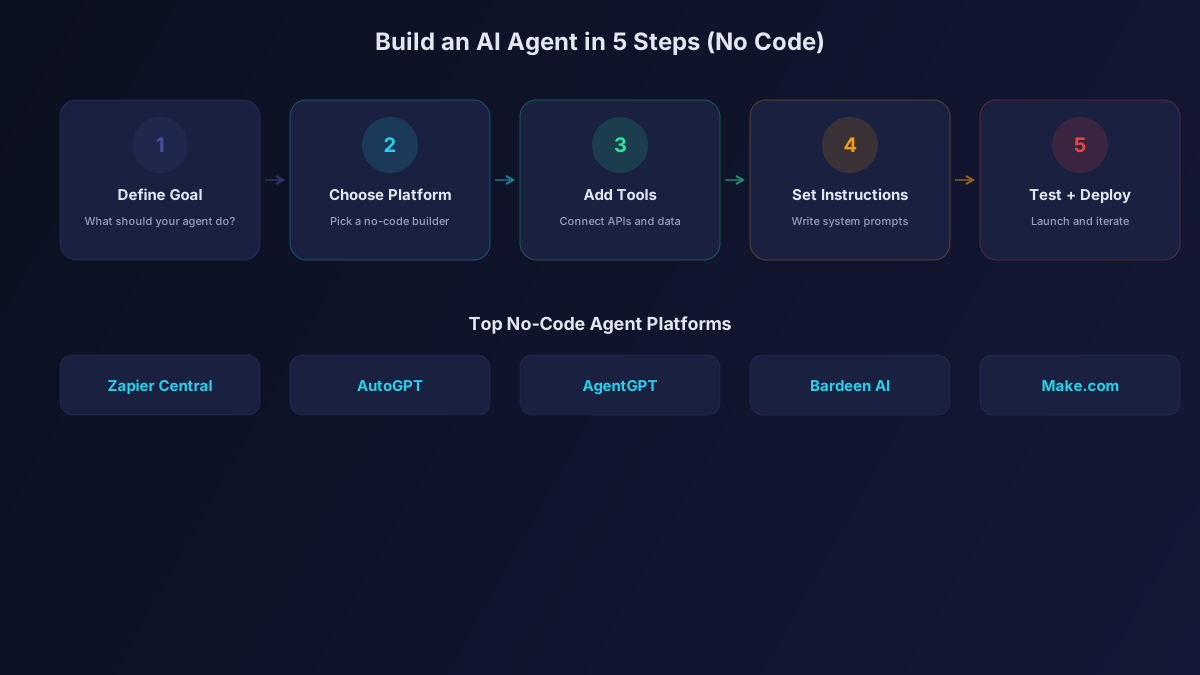
1. [Zapier](/tools/zapier-ai/) Central
Zapier's AI agent platform connects to 7,000+ apps and services. Create agents that monitor your email, process orders, update CRMs, and automate any workflow you can describe.
Best for: Business process automation across multiple tools.
How to start: Describe what you want automated in plain English. Zapier Central builds the agent and connects the right apps.
2. OpenAI Custom GPTs
The simplest entry point. Build custom chatbot agents with specific instructions, knowledge bases, and actions.
Best for: Customer support, internal knowledge bases, specialized assistants.
How to start: Go to ChatGPT, click "Create a GPT," describe its purpose, upload knowledge files, and configure actions.
3. Notion AI Agents
Build agents that live inside your Notion workspace. They can answer questions about your docs, create pages, update databases, and generate reports.
Best for: Team knowledge management and workspace automation.
4. Make (formerly Integromat)
Visual workflow builder with AI modules. Drag and drop to create complex AI-powered automations with conditional logic.
Best for: Complex multi-step automations with branching logic.
5. n8n (Self-Hosted)
Open-source workflow automation that you can self-host for free. Includes AI nodes for ChatGPT, Claude, and other models.
Best for: Privacy-conscious users who want full control over their agents.
Step-by-Step: Build Your First AI Agent
Let's build a practical agent that monitors industry news and sends you a daily summary.
Step 1: Choose Your Platform
For this example, we'll use Zapier Central because it requires zero technical setup.
Step 2: Define the Agent's Goal
"Monitor the top 5 AI news sites daily. Summarize the most important stories. Send me a Slack message every morning at 9 AM with the summary."
Step 3: Configure Data Sources
Connect your agent to RSS feeds or web scraping tools that pull content from your target sites.
Step 4: Set Up the AI Processing
Configure the AI model (GPT-4o or Claude) to analyze the collected articles and generate a concise summary. Include instructions like:
- Focus on practical news, not hype
- Limit to 5 stories maximum
- Include one-sentence summaries with links
- Highlight anything relevant to [your industry]
Step 5: Configure the Output
Connect Slack (or email) as the output. Set the schedule to 9 AM daily.
Step 6: Test and Refine
Run the agent manually first. Review the output. Adjust the prompts until the summaries match your expectations. Then set it to run automatically.
Agent Ideas for Different Roles
For Marketing Managers
- Social listening agent: Monitors brand mentions and sends alerts for sentiment changes
- Content calendar agent: Generates content ideas based on trending topics in your industry
- Competitor tracking agent: Monitors competitor websites and alerts you to changes
For Sales Teams
- Lead research agent: When a new lead enters your CRM, automatically research the company and prepare a briefing
- Follow-up agent: Tracks conversations and sends reminders when prospects go cold
- Meeting prep agent: Pulls relevant data about prospects before scheduled calls
For Customer Support
- FAQ agent: Answers common customer questions using your documentation
- Ticket routing agent: Categorizes support tickets and routes them to the right team
- Escalation agent: Monitors customer sentiment and escalates frustrated customers to humans
For Personal Productivity
- Email triage agent: Summarizes your inbox and drafts responses for routine emails
- Research agent: Monitors topics you're interested in and curates relevant articles
- Task management agent: Reviews your calendar and to-do list, suggests priorities
Common Mistakes to Avoid
- Making agents too complex. Start with one specific task and expand. Agents that try to do everything do nothing well.
- Not providing enough context. The more specific your instructions, the better the output. Include examples of what good output looks like.
- Skipping the testing phase. Always run agents manually before automating. Check the output quality before trusting it to work unsupervised.
- Ignoring error handling. What happens when the agent encounters something unexpected? Set up fallback actions and error notifications.
- Not monitoring performance. Check your agents weekly. Data sources change, APIs update, and what worked last month might not work today.
The Bottom Line
AI agents turn AI from a tool you use into a system that works for you. Start with one simple agent that saves you 30 minutes daily. Master the basics. Then build more complex systems that automate hours of work. The platforms are ready, the models are capable, and you don't need to write a single line of code.