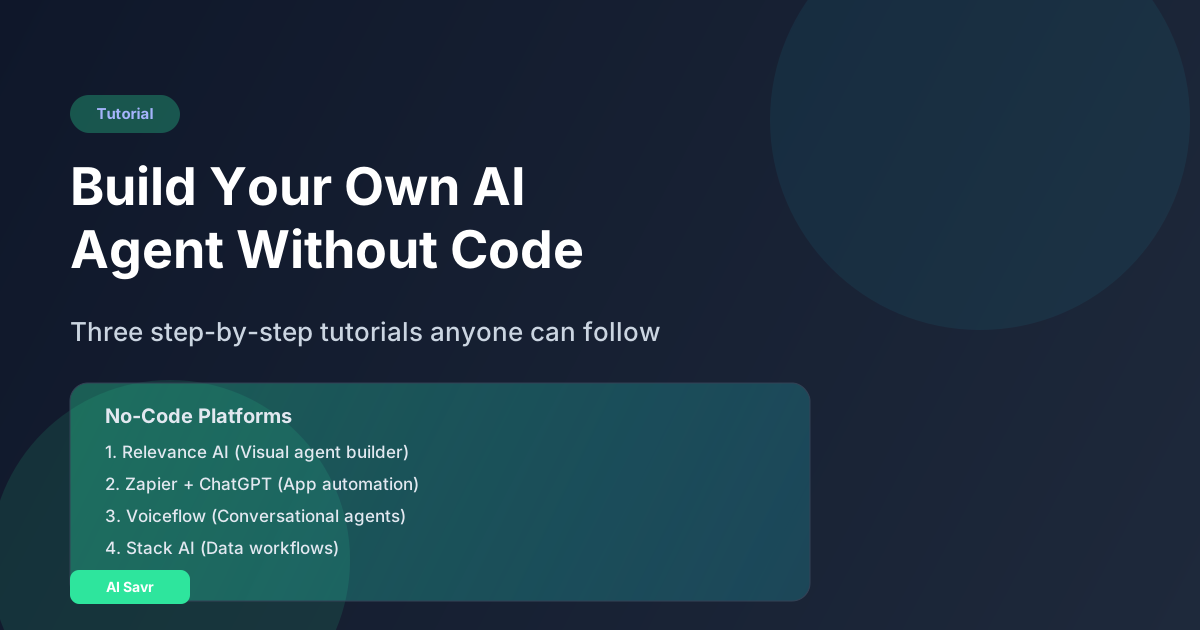
You do not need to write a single line of code to build a useful AI agent in 2026. No-code platforms have made it possible for anyone to create AI agents that research, write, analyze data, manage workflows, and interact with customers.
This guide walks you through building three practical AI agents step by step, from zero to deployed, using only no-code tools.
What You Can Build Without Code
Here are real AI agents non-technical people have built:
- A research agent that monitors industry news and sends a daily brief
- A content agent that writes social media posts from blog articles
- A customer intake agent that qualifies leads and schedules calls
- A data agent that pulls numbers from spreadsheets and creates reports
- A hiring agent that screens resumes and ranks candidates
All of these run autonomously and cost less than $50/month.
The Best No-Code AI Agent Platforms
1. Relevance AI
The most powerful no-code agent builder. You define the agent's role, give it tools (web search, document analysis, API calls), and set up workflows using a visual builder.
Best for: Complex multi-step agents Pricing: Free tier, Pro from $49/month Learning curve: Medium (1-2 hours to learn)
2. Stack AI
Drag-and-drop workflow builder specifically designed for AI agents. Connect LLMs, databases, APIs, and custom logic visually.
Best for: Data processing and document agents Pricing: Free tier, Pro from $49/month Learning curve: Low (30 minutes)
3. Zapier AI Actions + ChatGPT
Zapier connects 6,000+ apps. Combined with ChatGPT's API, you can build agents that trigger actions across your entire tool stack.
Best for: Connecting existing tools with AI intelligence Pricing: Free tier, Pro from $29/month Learning curve: Low (most people already know Zapier)
4. Voiceflow
Visual builder for conversational AI agents. Perfect for chatbots, phone agents, and customer-facing AI.
Best for: Customer-facing conversational agents Pricing: Free tier, Pro from $50/month Learning curve: Medium
5. n8n (Self-hosted, also cloud)
Open-source workflow automation with strong AI node support. More technical than Zapier but more powerful and cheaper at scale.
Best for: Technical non-developers who want full control Pricing: Free (self-hosted), Cloud from $24/month Learning curve: Medium-High
Tutorial 1: Build a Research Agent (30 minutes)
This agent monitors specific topics and sends you a daily summary email.
Using Relevance AI:
- Create a new agent and name it "Research Monitor"
- Define the role: "You are a research assistant that finds the latest news and insights about [your topic]"
- Add the Web Search tool: This lets your agent search the internet
- Add the Email tool: This lets your agent send you emails
- Create the workflow:
- Step 1: Search for "[your topic] latest news today" - Step 2: Summarize the top 5 results in bullet points - Step 3: Email the summary to you
- Set the schedule: Run daily at 7 AM
- Test it: Run manually first to verify the output quality
- Deploy: Turn on the schedule and let it run
Total time: 30 minutes. Total cost: Free on the starter plan.
Tutorial 2: Build a Lead Qualification Agent (45 minutes)
This agent lives on your website, asks qualifying questions, and creates leads in your CRM.
Using Voiceflow:
- Create a new project and select "Web Chat"
- Design the conversation flow:
- Greeting: "Hi! I am [AI Assistant]. Let me help you find the right solution. What brings you here today?" - Qualification Q1: "What is your company size?" (Options: 1-10, 11-50, 50-200, 200+) - Qualification Q2: "What is your biggest challenge right now?" (Free text, AI analyzes) - Qualification Q3: "What is your timeline for making a decision?" (Options: This month, This quarter, Just exploring)
- Add AI classification: Use the AI block to score the lead (Hot, Warm, Cold) based on answers
- Connect to your CRM: Use the API block to create a contact in HubSpot/Salesforce
- Set up routing: Hot leads get an instant meeting link. Warm leads get an email sequence. Cold leads get a resource download.
- Embed on your website: Copy the widget code into your site
- Test with 10 friends: Have real people try it and refine the conversation
Total time: 45 minutes. Monthly cost: $50.
Tutorial 3: Build a Content Repurposing Agent (20 minutes)
This agent takes a blog post URL and creates social media posts for LinkedIn, Twitter, and Instagram.
Using Zapier + ChatGPT:
- Create a new Zap
- Trigger: New item in Google Sheets (each row is a blog URL to process)
- Action 1 (ChatGPT): "Read this blog post and create a LinkedIn post (maximum 300 words, professional tone, include 3 hashtags)"
- Action 2 (ChatGPT): "Read this blog post and create a Twitter thread (5 tweets, casual tone, include 1 hashtag per tweet)"
- Action 3 (ChatGPT): "Read this blog post and create an Instagram caption (150 words, friendly tone, include 10 hashtags)"
- Action 4: Add all three outputs to a Google Sheet for review
- Optional: Auto-post to Buffer or Hootsuite after manual approval
Total time: 20 minutes. Monthly cost: $29 (Zapier Pro).
Tips for Building Great No-Code AI Agents
- Start with one specific task: Do not try to build an agent that does everything. Build one that does one thing really well
- Write clear instructions: The quality of your agent depends on how clearly you define its role and behavior
- Test with edge cases: What happens when the user asks something unexpected? What if the data format is different?
- Add error handling: What should the agent do when something fails? Always have a fallback (send to human, retry, log the error)
- Monitor regularly: Check your agent's output weekly for the first month. Look for mistakes and refine
- Document your agent: Write down what it does, how it works, and how to modify it. Future you will thank present you
No-Code AI Agents vs Custom Code
| Factor | No-Code | Custom Code |
|---|---|---|
| Build time | 30 min - 2 hours | 1-4 weeks |
| Cost | $0-100/month | $500-5000 setup + hosting |
| Flexibility | Medium | Unlimited |
| Maintenance | Low | Medium-High |
| Scaling | Platform handles it | You manage it |
| Best for | 80% of use cases | Complex, unique requirements |
For most business and personal use cases, no-code AI agents are more than sufficient. You only need custom code when you have very specific requirements that platforms cannot handle.
The Bottom Line
You do not need to be a developer to build AI agents that save you hours every week. The tools are accessible, affordable, and powerful enough for real business use.
Pick one task that eats up your time. Build an agent for it this week. Once you see the results, you will want to build agents for everything.