Let's be honest. Most AI customer support bots are terrible. They loop through the same useless responses, can not handle anything outside a script, and make customers wish they could talk to a real person.
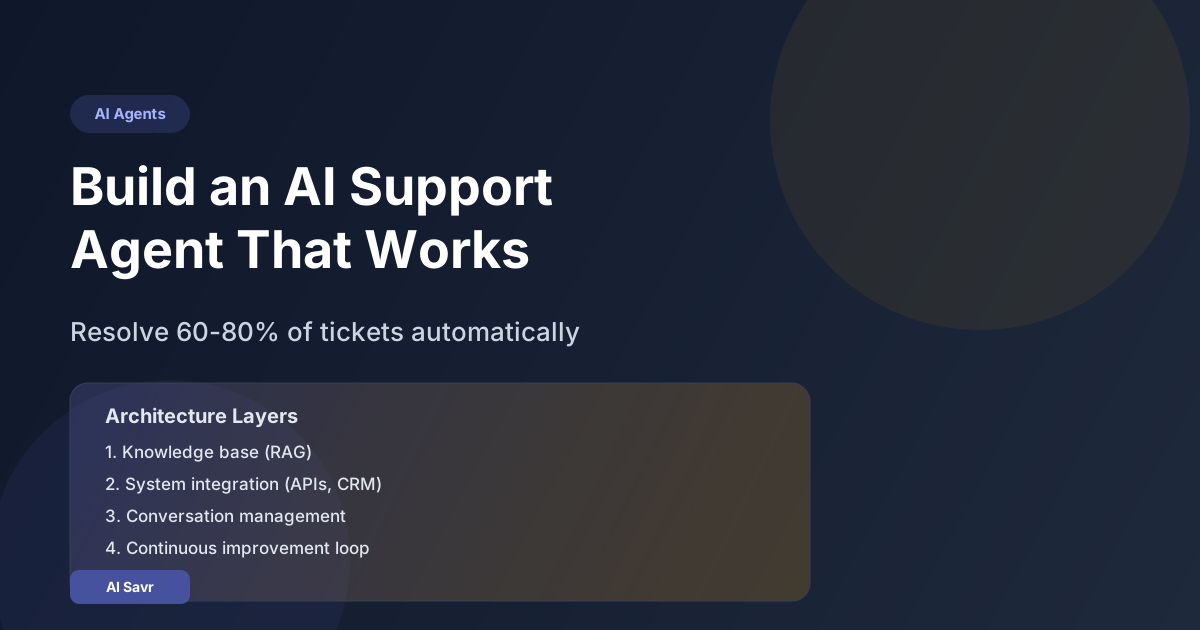
But the best AI support agents in 2026 are genuinely impressive. Companies using them well are resolving 60-80% of tickets automatically, cutting response times from hours to seconds, and actually improving customer satisfaction scores.
The difference is not the technology. It is how you build and train the agent. Here is the complete playbook.
Why Most AI Support Bots Fail
Before building a good one, understand why most fail:
- No access to real data: The bot can not look up orders, check account status, or verify information
- Too rigid: It follows a decision tree instead of understanding the customer's actual problem
- No escalation path: When the bot can not help, there is no smooth handoff to a human
- Generic responses: It gives the same answer regardless of context, history, or customer segment
- No learning loop: It never improves because nobody analyzes what it gets wrong
A good AI support agent fixes all of these.
The Architecture That Works
Layer 1: Knowledge Base
Your agent needs to know everything a human support rep would know:
- Product documentation and FAQs
- Pricing and billing policies
- Return and refund procedures
- Known issues and workarounds
- Company policies and boundary rules
Use RAG (Retrieval Augmented Generation) to give the agent access to this information. Tools like Anything LLM, Voiceflow, or Intercom Fin make this straightforward.
Layer 2: System Integration
The agent needs to actually DO things, not just talk:
- Look up order status in your database
- Check subscription tiers and billing history
- Process refunds within defined limits
- Update account information
- Create support tickets for complex issues
This is where most teams stop too early. An agent that says "I can see you have an order" but can not actually look up that order is useless.
Layer 3: Conversation Management
- Detect customer sentiment (frustrated, confused, happy)
- Adjust tone accordingly
- Know when to escalate to a human
- Summarize the conversation for the human agent during handoff
- Follow up after resolution
Layer 4: Continuous Improvement
- Log every conversation
- Flag conversations where the customer was not satisfied
- Identify new questions the agent cannot answer
- Update the knowledge base weekly
- Track resolution rate, CSAT, and first response time
Step-by-Step Implementation
Step 1: Choose Your Platform
| Platform | Best For | Starting Price | Setup Time |
|---|---|---|---|
| Intercom Fin | SaaS companies | $29/resolution | 1-2 days |
| Zendesk AI | Enterprise support | $50/agent/month | 1 week |
| Voiceflow | Custom bot builders | Free/$50/month | 2-3 days |
| Tidio | Small business | $29/month | 1 day |
| Custom (OpenAI API) | Full control | API costs only | 2-4 weeks |
For most businesses, start with a platform like Intercom Fin or Tidio. Only go custom if you have specific integration needs.
Step 2: Build Your Knowledge Base
Gather every piece of support documentation you have:
- Help center articles
- Internal wikis
- Previous support ticket resolutions (anonymized)
- Product changelogs
- Pricing pages
Upload these to your chosen platform. Most modern tools support PDF, HTML, and plain text ingestion.
Step 3: Define Boundaries
This is critical. Your agent must know what it CAN and CANNOT do:
Can Do:
- Answer product questions
- Check order status
- Process refunds under $50
- Update contact information
- Reset passwords
Cannot Do (Escalate to Human):
- Refunds over $50
- Account deletion requests
- Legal or compliance questions
- Angry customers who explicitly ask for a human
- Billing disputes
Step 4: Test Before Launch
- Run 100+ test conversations covering common scenarios
- Include edge cases (angry customers, questions in other languages, nonsensical inputs)
- Have real support agents review the AI responses
- Fix any issues before going live
- Start with 10% of traffic and gradually increase
Step 5: Monitor and Improve
Track these metrics weekly:
- Resolution rate: What percentage of conversations does the AI resolve without human help? Target: 60%+
- CSAT score: Are customers satisfied? Target: 4.0+ out of 5
- Escalation rate: How often does it hand off to humans? Target: under 40%
- First response time: How fast does it reply? Target: under 5 seconds
- False confidence rate: How often does it give wrong answers confidently? Target: under 5%
Real Cost Savings
Here is what typical businesses save after implementing a good AI support agent:
- Small business (500 tickets/month): Save $2,000-4,000/month in support staff costs
- Mid-size (2,000 tickets/month): Save $8,000-15,000/month
- Enterprise (10,000+ tickets/month): Save $50,000-100,000/month
The ROI is significant, but only if the agent actually resolves issues instead of frustrating customers.
Common Mistakes to Avoid
- Hiding that it is AI: Be transparent. Customers appreciate honesty and are surprisingly open to AI support when it works well
- No human fallback: Always provide a clear path to a real human
- Launching without testing: A bad AI experience is worse than no AI at all
- Ignoring the data: The agent is only as good as the knowledge base and training data you give it
- Set and forget: AI support agents need regular updates as your product and policies change
The Bottom Line
A well-built AI support agent is not about replacing humans. It is about handling the 60-80% of repetitive questions so your human team can focus on complex, high-value conversations that actually need a personal touch.
Build it right, test it thoroughly, monitor it closely, and it will be the best investment your support team makes in 2026.