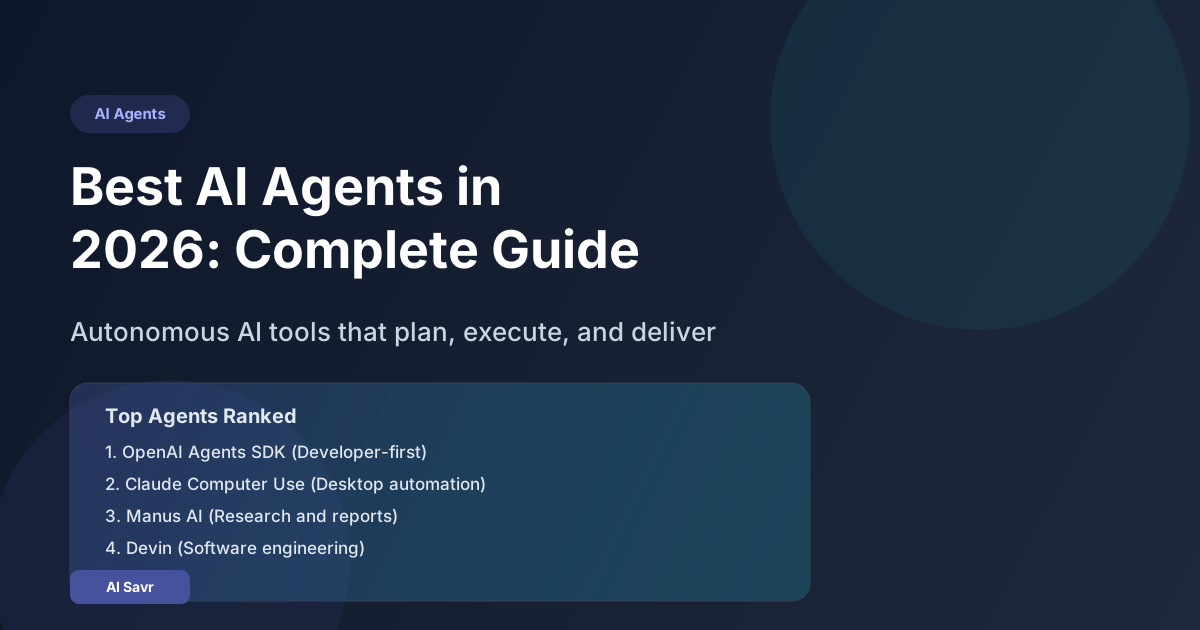
AI agents are everywhere in 2026, and for good reason. Unlike regular chatbots that answer one question at a time, AI agents can plan, execute multi-step tasks, use tools, browse the web, write code, and even manage other AI agents. They do not just respond. They act.
If you have been hearing about Manus, Devin, OpenAI Agents, Claude Computer Use, and AutoGPT but are not sure which ones actually work and which are hype, this guide is for you.
Let's break down everything you need to know: what AI agents are, how they work, the best ones available right now, and how to pick the right one for your use case.
What Are AI Agents and Why Should You Care?
An AI agent is software that can independently complete tasks by breaking them into steps, using tools, making decisions, and adapting when things go wrong. Think of it as the difference between a calculator and an employee. A calculator answers what you ask. An employee figures out what needs to be done and does it.
Here is why 2026 is the year AI agents went mainstream:
- Models got smarter: GPT-5, Claude Opus 4, and Gemini 2.5 Pro can reason well enough to plan multi-step workflows reliably
- Tool use matured: Agents can now browse websites, run code, manage files, search databases, and call APIs without breaking
- Costs dropped: Running agent workflows that cost $50 in 2024 now cost under $2
- Enterprise adoption: Companies like Salesforce, HubSpot, and Slack have built agent frameworks into their products
The Best AI Agents in 2026
1. OpenAI Agents SDK
OpenAI's official agent framework lets you build custom agents using GPT-5 and GPT-4o. It is the most polished option for developers who want full control.
Best for: Developers building custom AI workflows Pricing: Pay per API usage (GPT-5 at $15/1M input tokens) Key features: Tool calling, handoffs between agents, guardrails, tracing, built-in memory
The SDK supports multi-agent architectures where specialized agents hand off tasks to each other. You can build a research agent that finds information, passes it to a writing agent, which then hands off to an editing agent. All coordinated automatically.
2. Claude Computer Use (Anthropic)
Claude can literally see your screen and control your computer. It moves the mouse, clicks buttons, types text, and navigates applications just like a human would.
Best for: Automating repetitive desktop tasks, form filling, data entry Pricing: Included with Claude Pro ($20/month) and API access Key features: Screen vision, mouse/keyboard control, multi-step task execution
This is the closest thing to having a virtual assistant sitting at your computer. It works with any application because it interacts through the visual interface, not APIs.
3. Manus AI
Manus became the first general-purpose AI agent that went viral in early 2026. Given a task like "research the top 10 competitors in the AI writing space and create a comparison spreadsheet," Manus will browse the web, collect data, organize it, and deliver a finished document.
Best for: Research, data collection, report generation Pricing: Free tier available, Pro at $39/month Key features: Web browsing, document creation, multi-step research, citation tracking
4. Devin (Cognition Labs)
Devin is an AI software engineer. It can take a GitHub issue, understand the codebase, write the fix, run tests, and submit a pull request. It is not perfect, but it handles routine coding tasks surprisingly well.
Best for: Software development, bug fixes, code reviews Pricing: $500/month (enterprise focused) Key features: Full IDE environment, Git integration, test writing, code review
5. AutoGPT / AgentGPT
The open-source agents that started it all. AutoGPT breaks goals into sub-tasks and executes them autonomously. It has improved massively since its rocky 2023 launch. The 2026 version (v0.6) is genuinely useful for task automation.
Best for: DIY enthusiasts, custom automation, learning about agents Pricing: Free (open source) Key features: Goal decomposition, plugin system, local or cloud execution
6. Microsoft Copilot Agents
Microsoft integrated agents directly into the 365 suite. Copilot agents can monitor your email, schedule meetings, draft responses, create presentations from data, and manage project timelines across Teams, Outlook, and SharePoint.
Best for: Enterprise productivity, Microsoft 365 users Pricing: Included with Copilot Pro ($30/month) and Enterprise plans Key features: Deep Office integration, Teams automation, SharePoint data access
7. LangGraph (LangChain)
LangGraph lets you build stateful, multi-actor agent applications. It is the most popular framework for building complex agent workflows with cycles, persistence, and human-in-the-loop patterns.
Best for: Developers building production agent systems Pricing: Free (open source), LangSmith for monitoring at $39/month Key features: State management, streaming, persistence, visualization
8. CrewAI
CrewAI focuses on multi-agent collaboration. You define agents with specific roles (researcher, writer, reviewer), assign them tasks, and let them work together with defined processes (sequential or hierarchical).
Best for: Content creation pipelines, research teams, complex workflows Pricing: Free (open source), Enterprise plans available Key features: Role-based agents, task delegation, process management, memory
AI Agent Comparison Table
| Agent | Best For | Pricing | Coding Required | Reliability |
|---|---|---|---|---|
| OpenAI Agents SDK | Custom development | API usage | Yes | Very High |
| Claude Computer Use | Desktop automation | $20/month | No | High |
| Manus AI | Research and reports | Free/$39/month | No | High |
| Devin | Software engineering | $500/month | No | Medium-High |
| AutoGPT | DIY automation | Free | Some | Medium |
| Copilot Agents | Office productivity | $30/month | No | High |
| LangGraph | Production systems | Free | Yes | Very High |
| CrewAI | Multi-agent teams | Free | Yes | High |
How to Choose the Right AI Agent
The right agent depends on what you need it to do:
- You want to automate desktop work (clicking, typing, navigating apps): Claude Computer Use
- You need research and reports: Manus AI
- You are building a custom product: OpenAI Agents SDK or LangGraph
- You want coding help: Devin or GitHub Copilot Workspace
- You live in Microsoft 365: Copilot Agents
- You want multi-agent teamwork: CrewAI
- You want free and open source: AutoGPT or LangGraph
Real World Use Cases for AI Agents
Sales and Lead Generation
Set up an agent to monitor LinkedIn for job postings in your target industry, find the hiring manager's email, draft a personalized outreach message, and add the lead to your CRM. What used to take a sales rep 2 hours per lead now takes 3 minutes.
Content Production
A content team can use CrewAI to set up a pipeline where a research agent finds trending topics, a writing agent creates drafts, a fact-checking agent verifies claims, and an SEO agent optimizes the final piece. The human reviews and approves.
Software Development
Devin or OpenAI Agents SDK can handle routine development tasks: implementing API endpoints from specs, writing unit tests, fixing linting errors, updating dependencies, and refactoring code. Senior developers focus on architecture while agents handle the implementation.
Customer Support
An agent monitors support tickets, categorizes them, drafts responses for common issues, escalates complex ones to humans, and follows up automatically if the customer does not respond within 48 hours.
The Honest Limitations
AI agents are impressive but not magic. Here is what you should know:
- They make mistakes: Agents can go down wrong paths, especially with ambiguous tasks. Always review output before acting on it
- Cost can add up: Complex agent workflows can make dozens of API calls. Monitor your usage
- Security matters: An agent with access to your computer or company data needs proper guardrails. Do not give agents more permissions than they need
- They are not employees: Agents work best for well-defined, repeatable tasks. Creative strategy and judgment calls still need humans
Getting Started With AI Agents Today
- Pick one specific task you want to automate. Start small
- Try a no-code option first: Manus AI or Claude Computer Use require zero setup
- Watch it work: Observe the agent completing the task a few times before trusting it to run independently
- Add guardrails: Set spending limits, require human approval for sensitive actions, and log everything
- Scale gradually: Once one agent workflow is reliable, add another
The Bottom Line
AI agents are not a future technology. They are here, they work, and they are getting better every month. The companies and individuals who learn to work with agents in 2026 will have a massive advantage over those who wait.
Start with one task. Automate it. See the results. Then expand from there.