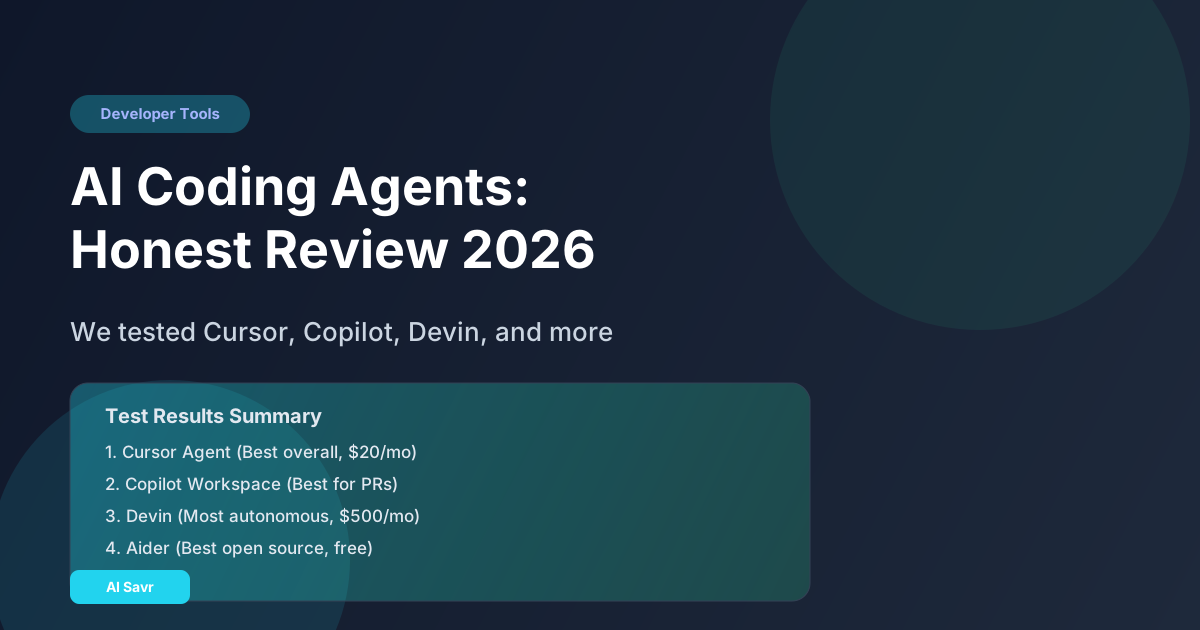
The marketing says AI coding agents can build entire applications from a prompt. The reality is more nuanced. Some of these tools are genuinely useful. Others are impressive demos that fall apart on real projects.
I tested every major AI coding agent on the same set of tasks: fixing a bug in a React app, building an API endpoint from a spec, writing comprehensive tests, and refactoring a messy function. Here is what actually happened.
What Is an AI Coding Agent?
An AI coding agent goes beyond autocomplete. Instead of suggesting the next line, it takes a task description and independently writes, tests, and sometimes deploys code. It can:
- Read your entire codebase for context
- Plan an implementation approach
- Write code across multiple files
- Run tests and fix failures
- Create pull requests with descriptions
This is fundamentally different from Copilot's inline suggestions. An agent works like a junior developer who reads the ticket and tries to implement it.
The Contenders
1. Cursor Agent Mode
Cursor's agent mode is currently the most practical coding agent for everyday development. It can read your project, understand the structure, and make changes across multiple files in one operation.
What it does well:
- Multi-file edits that understand project context
- Inline terminal command execution
- Reads error messages and fixes them automatically
- Integrates with your existing workflow (it is a full IDE)
Where it struggles:
- Complex architectural decisions
- Large-scale refactoring across dozens of files
- Sometimes makes changes you didn't ask for
Pricing: $20/month (Pro), $40/month (Business) Verdict: The best all-around coding agent for developers who want to stay in control
2. GitHub Copilot Workspace
GitHub's take on coding agents. You describe what you want, Copilot creates a plan, generates the code changes, and opens a pull request. It works directly from GitHub issues.
What it does well:
- Tight GitHub integration
- Clear plan-before-code approach
- Good at small to medium tasks from well-written issues
- PR descriptions are actually useful
Where it struggles:
- Cannot run or test the code
- Limited to what it can infer from the repository
- Slower iteration cycle than IDE-based tools
Pricing: Included with Copilot Enterprise ($39/user/month) Verdict: Best for teams that work issue-to-PR and want minimal workflow disruption
3. Devin (Cognition Labs)
Devin has its own virtual machine with a browser, editor, and terminal. It can clone repos, install dependencies, write code, run tests, and browse documentation independently.
What it does well:
- Truly autonomous for well-defined tasks
- Can research documentation and APIs it has never seen
- End-to-end PR creation with test verification
- Handles deployment tasks
Where it struggles:
- Expensive at $500/month
- Can go down rabbit holes on complex problems
- Sometimes makes suboptimal architectural choices
- Slower than human developers for simple tasks
Pricing: $500/month Verdict: Impressive technology but hard to justify the cost unless you have very specific automation needs
4. Windsurf (Codeium)
Windsurf's Cascade feature provides agent-style coding within their IDE. It understands your codebase, suggests multi-step changes, and can execute terminal commands.
What it does well:
- Fast code understanding
- Good multi-file navigation
- Free tier is generous
- Lightweight and fast
Where it struggles:
- Less capable than Cursor for complex multi-file edits
- Agent mode is less mature
- Smaller model selection
Pricing: Free tier, $15/month (Pro) Verdict: Best free option for developers who want agent features without paying $20/month
5. Aider
An open-source terminal-based coding agent. You run it in your project directory, describe what you want, and it edits your files directly. Works with GPT-4, Claude, and other models.
What it does well:
- Free and open source
- Works with any LLM
- Clean git integration (auto-commits with meaningful messages)
- No vendor lock-in
Where it struggles:
- Terminal-only (no visual IDE)
- Requires your own API keys
- Less polished user experience
Pricing: Free (you pay for your own API usage) Verdict: Best for developers who want full control and transparency
Head-to-Head Comparison
| Feature | Cursor Agent | Copilot Workspace | Devin | Windsurf | Aider |
|---|---|---|---|---|---|
| Multi-file edits | Excellent | Good | Excellent | Good | Good |
| Code execution | Yes | No | Yes | Yes | No |
| Test running | Yes | No | Yes | Yes | No |
| Autonomy level | Medium | Low | High | Medium | Medium |
| Price | $20/month | $39/month | $500/month | Free/$15 | Free |
| Setup time | 5 min | 0 (GitHub native) | 10 min | 5 min | 10 min |
| Best for | Daily coding | PR workflow | Full automation | Budget coding | Open source fans |
My Real Test Results
I gave each agent the same four tasks:
Task 1: Fix a Bug (React component not rendering conditionally)
- Cursor: Fixed correctly in 30 seconds. Read the component, found the issue, applied the fix.
- Copilot Workspace: Generated a correct plan and code change. Took 2 minutes including review.
- Devin: Fixed it but also refactored unrelated code. Took 5 minutes.
- Windsurf: Fixed correctly in 45 seconds.
- Aider: Fixed correctly in 1 minute.
Task 2: Build API Endpoint (REST endpoint with validation and database query)
- Cursor: Built a working endpoint with proper error handling. Needed one correction for the database query syntax.
- Copilot Workspace: Generated solid code but could not test it. I found one bug during manual testing.
- Devin: Built and tested the endpoint completely. No issues. But took 8 minutes.
- Windsurf: Built most of it correctly. Missed input validation.
- Aider: Built it correctly with prompting for the schema details.
Task 3: Write Tests (80%+ coverage for an existing module)
- Cursor: Wrote comprehensive tests. Caught edge cases I had not considered. Best output.
- Copilot Workspace: Tests were correct but basic. Low edge case coverage.
- Devin: Wrote and ran all tests. Fixed two failures automatically.
- Windsurf: Decent test coverage but missed some edge cases.
- Aider: Good tests after two rounds of iteration.
Task 4: Refactor (clean up a 200-line function into smaller functions)
- Cursor: Clean refactoring. Preserved all behavior. Good function names.
- Copilot Workspace: Reasonable plan but the implementation had a subtle bug.
- Devin: Over-engineered the refactoring. Added abstractions that were not needed.
- Windsurf: Good refactoring but left some duplicated code.
- Aider: Clean, minimal refactoring. No unnecessary changes.
Which One Should You Use?
- For daily development work: Cursor Agent ($20/month). Best balance of capability, speed, and control.
- For GitHub-centric teams: Copilot Workspace. Minimal workflow change.
- For full automation: Devin, but only if you have the budget and very clear task definitions.
- For budget-conscious developers: Windsurf (free) or Aider (free + your API costs).
- For learning how agents work: Aider. Open source, transparent, educational.
Tips for Getting the Most Out of Coding Agents
- Write clear, specific task descriptions. "Fix the login bug" is bad. "The login form submits but the JWT token is not being stored in localStorage, causing the redirect to /dashboard to fail" is good.
- Review every change. Never merge agent code without reading it. Agents make subtle mistakes that pass tests but create tech debt.
- Start with small tasks. Fix a bug. Write a test. Add a field. Build trust before giving agents larger tasks.
- Keep your codebase clean. Agents work better in well-structured codebases with clear naming and good documentation.
- Use agents for the boring stuff. Boilerplate, tests, data transformations, API integrations. Save your creative energy for architecture and product decisions.
The Bottom Line
AI coding agents in 2026 are genuinely useful but not magical. They are best thought of as highly capable junior developers who work fast, never complain, and occasionally make mistakes that need correction.
The developers who thrive will be the ones who learn to delegate effectively to AI agents while focusing their own time on the decisions and creativity that agents cannot replicate.